
EmlakBase App Guide
The listings app for home seekers (Android and iOS).
1. Getting Started
The EmlakBase app is available on Google Play; the iPhone version is coming soon to the App Store. You can browse all listings without an account; favorites, saved searches, appointments and messages require a free membership. The same membership also works on the web showcase.
- Bottom tabs: Listings, Map, Favorites, My Account.
- Light / dark theme follows your phone setting; you can change it from My Account.
- The app opens in Turkish or English based on your phone's language; you can change it from My Account.
- Besides email, you can sign in with Google (and Apple on iPhone) for membership.
2. Listing Search and Filters
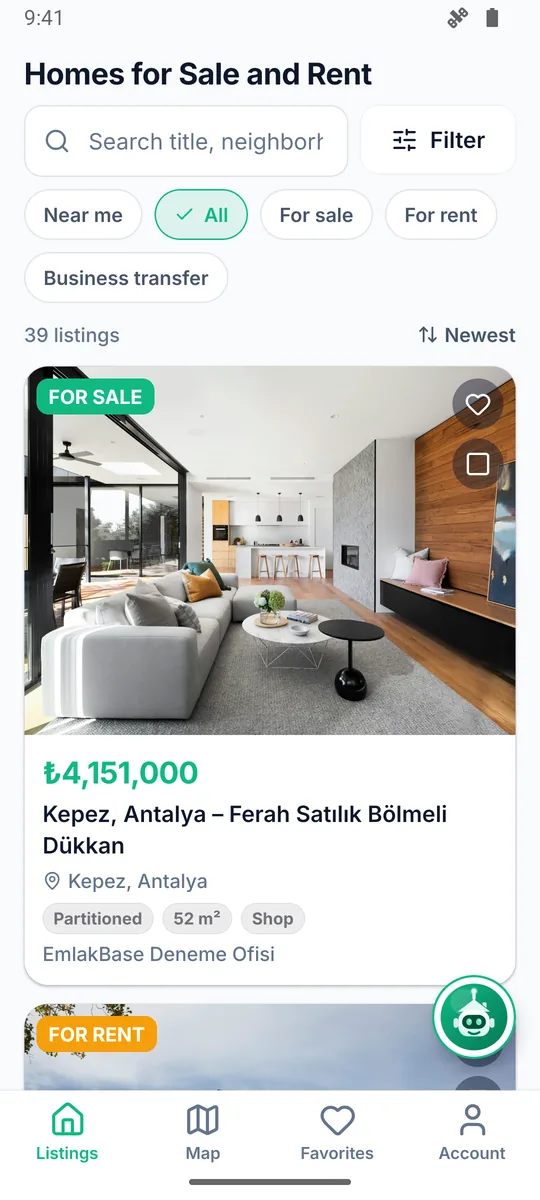
- Type a neighborhood, district, province or a word from the listing title in the search box.
- Filters (the same set as sahibinden / emlakjet / hepsiemlak): for sale / for rent / business transfer, property type, province and district, price and m² range, number of rooms, building age, floor, number of bathrooms, heating, furnished / unfurnished, eligible for mortgage, price reduced, listing date, interior / exterior / location features, usage and deed status.
- Sorting: newest, price ascending / descending.
- Each card shows the price, rooms and area, location and agency name; the Price dropped badge shows the latest price cut.
2.1. EmlakBase Assistant
A free AI assistant that needs no account; open it with the floating Assistant button. Type or say the area, number of rooms and your budget, and it suggests matching live listings with their links.
- If the button covers something, press and drag it to move it; drop it on the target that appears in the middle of the right edge to hide it. While hidden, on the tab at the edge the mascot opens the assistant and the arrow brings the button back.
- It only answers from live listings and the app guide; it cannot see agencies' private data.
- Questions are limited so that everyone gets fair use; when you reach the limit, you can ask again after a while.
- It does not ask for personal data; messages are kept for 90 days to improve the service.
- When asking with the microphone you can pause; your question is sent about 2 seconds after you finish speaking.
- Prices and availability can change; check the listing details and the agency before you decide.
3. Map Search
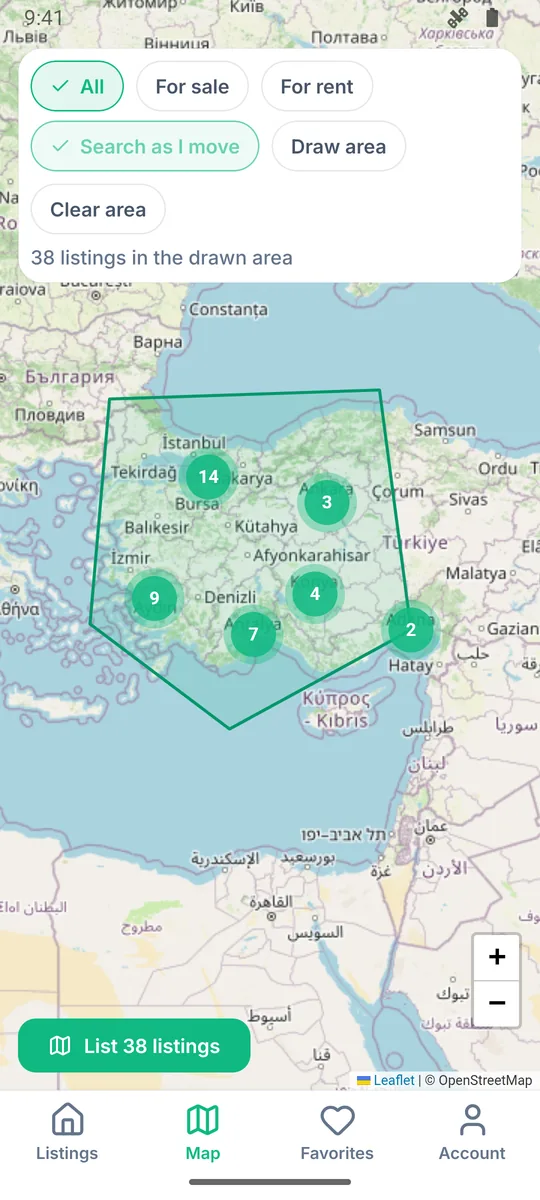
- On the Map tab, listings appear as clustered pins; clusters break apart as you zoom in.
- Search this area: Pan the map and tap the button; only listings in the visible area are listed.
- Draw area: Draw a region with your finger; only listings inside that polygon are shown (a neighborhood boundary, the area around a school, etc.).
- Tap a pin to open the listing card; the same filter is kept when you switch to the list.
4. Listing Details
- Photo gallery, price (and previous price, if any), listing details, features, location map and agency information.
- Similar listings: Listings in the same area and of the same type, at a similar price.
- Use the Share button to send the listing link via WhatsApp or another app.
- The agent's phone and email are shown if the agency allows it; even if they are hidden, you can send a message from within the app.
3D Aerial and Street View
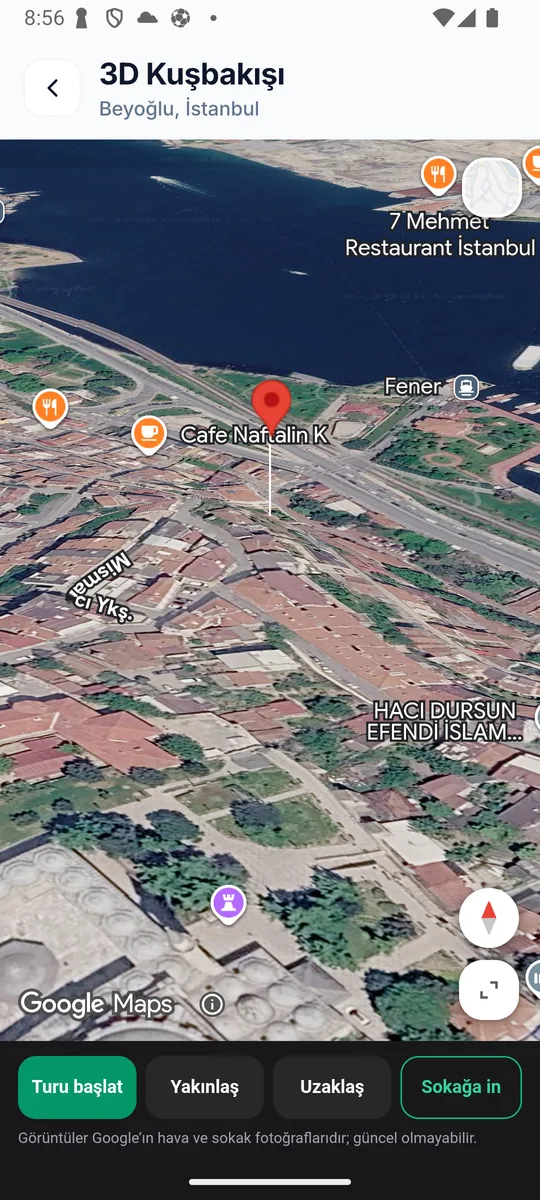
- On listings with a known location, the 3D aerial and street view button under the map opens the home and its surroundings on a 3D city model.
- Start tour circles the camera around the building; Zoom in / Zoom out for a closer look; Street level takes you down to the nearest street view.
- Imagery is Google aerial and street photography and may be out of date. Small towns open in satellite view instead of a 3D model.
5. Membership and My Account
- Sign up with email and password (the password is entered twice). Passwords are reset by email.
- In My Account you edit your full name and phone, and reach your favorites, questions, messages, saved searches and appointments.
- Your membership does not belong to any real estate agency; agencies only see the contact you start (questions, messages, appointments).
6. Favorites and Price Drop Alerts
- Add a listing to favorites with the heart on its card; see them all on the Favorites tab.
- If the price of a favorite listing drops by at least 1%, you get a push notification and an email (at most once a day per listing). Removing it from favorites stops the alerts.
7. Saved Searches and New Listing Alerts
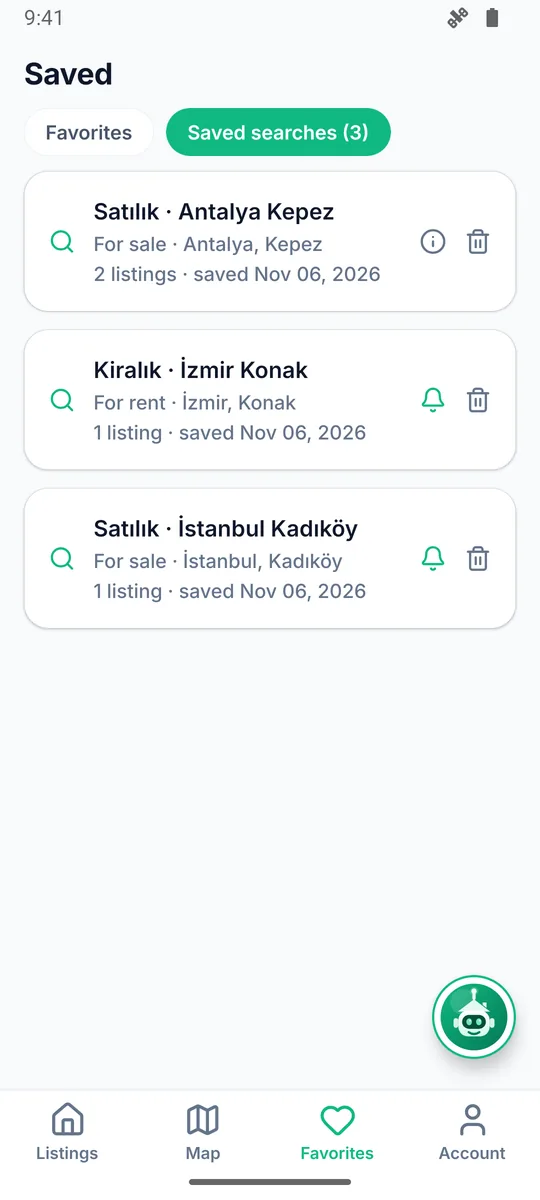
- After setting your filters, tap Save search; give it a name and turn on notifications.
- When a new listing matching your criteria is published, you get a notification on your phone; tap it to open the listing.
- See saved searches under Saved searches on the Favorites tab, turn their notifications on or off, or delete them (up to 20).
8. Listing Comparison
Select up to 4 listings with the Compare button on the cards; tap "Compare" in the tray at the bottom to see price, price per m², rooms, area, floor, building age, heating and features side by side in a table.
9. Viewing Appointments
- Use I want to view it on the listing details to pick a date and time, and add your phone and a note (a future date, within 90 days).
- The request goes to the listing's agent as a task; the agent calls you or confirms the appointment. You get a notification when it is confirmed or canceled.
- Track your appointments under My Account > My Appointments, and cancel a pending request. Up to 5 requests can be sent per day.
10. Questions and Messages to Agents
- Ask a question: Questions under a listing are public; you are notified when the agent answers (if there is no answer within 48 hours, the agent is reminded).
- Send a message: A private conversation only you and the agency can see; it continues under My Account > My Messages.
- Insults and banned words are filtered automatically; membership may be restricted in case of abuse.
11. Mortgage Calculator and Neighborhood Info
- Mortgage calculator: Calculates the monthly installment and total repayment from the listing price based on the down payment, term and interest rate (for information only, not a bank offer).
- Neighborhood info: The number of for-sale/for-rent listings in the listing's district, and the average and median price per m²; calculated from listings on EmlakBase.
12. Privacy and Notification Settings
- Notification permission is requested on first launch; manage saved search and favorite notifications separately under My Account > Notifications.
- Your personal data is processed according to the Privacy and KVKK notice; you can delete your membership from My Account, and your data will be removed.
13. Reporting, Blocking and Account Deletion
- Report a listing: Use the flag icon at the top right of the listing details to report a misleading, duplicate or inappropriate listing; choose a reason and write a short description, and it is sent after you accept the Terms of Use and the KVKK notice.
- Report a question / block a user: In the Q&A section, each question has Report and Block below it. Questions from users you block are no longer shown to you; a reported question is removed from your list and forwarded to the moderation team.
- Blocked Users: You can Unblock anyone at any time from the My Account > Blocked Users list.
- Support, suggestions and complaints: The My Account > Support, Suggestions and Complaints card opens the Support Center, where you fill in a bug, suggestion or complaint form.
- Delete my membership: Close your membership with My Account > Delete Account by confirming your password; favorites, saved searches and profile details are deleted, while questions and messages you sent to agencies remain anonymously.
14. Frequently Asked Questions
Is membership paid?
No; membership and all features are free for home seekers.
How do I contact the agency that posted a listing?
From the listing details you can ask a question, send a private message or request an appointment; if the agency has made its contact details public, call and email buttons also appear.
Is the assistant paid?
No, it is free and needs no account. Questions are limited so that everyone gets fair use.
I'm not getting notifications.
Your phone's notification permission must be on; make sure the "notify" switch is on for your saved search.
Are the website and the app the same?
Yes. www.emlakbase.com/en/ilanlar and the app use the same listings and the same membership.